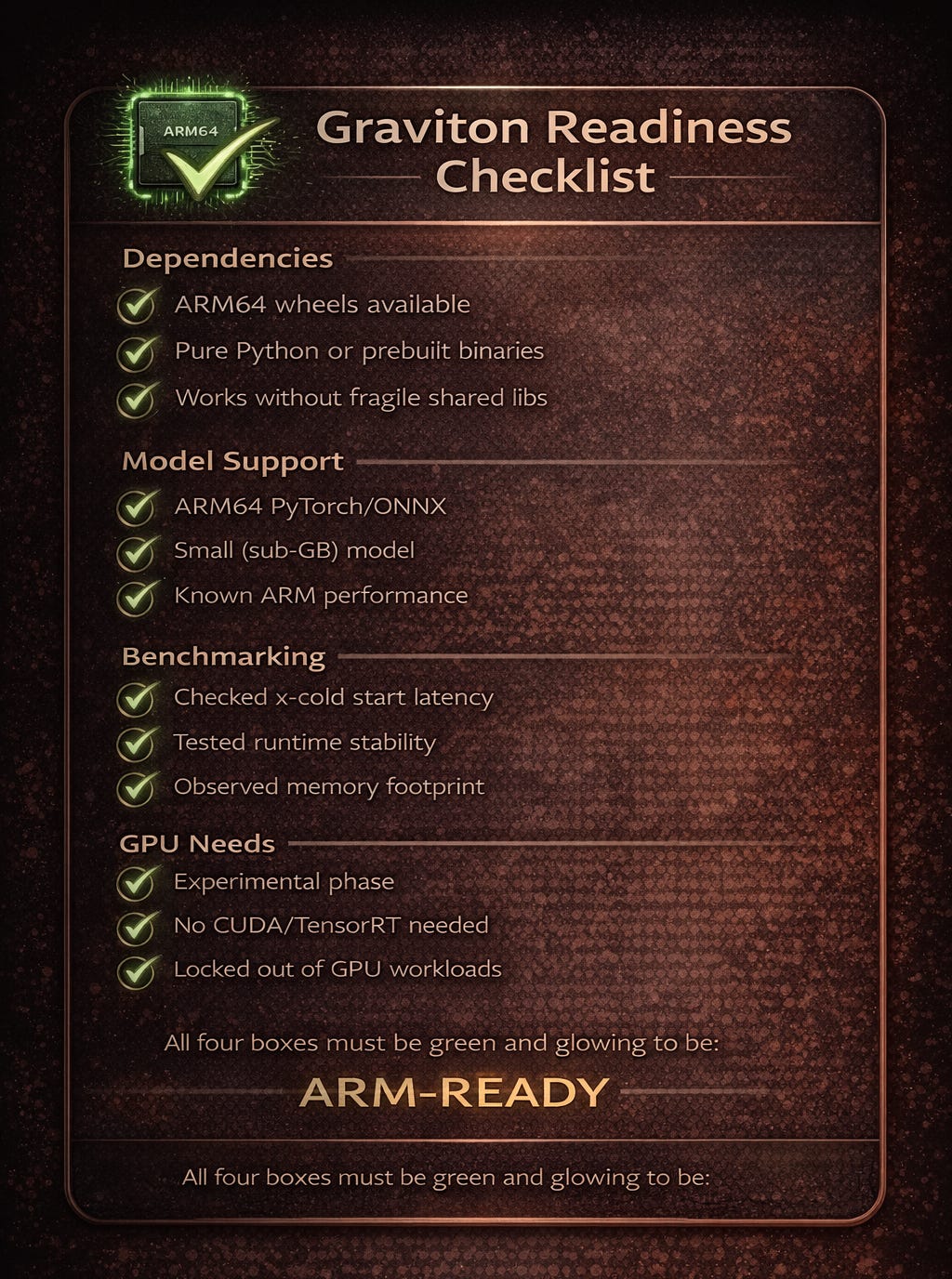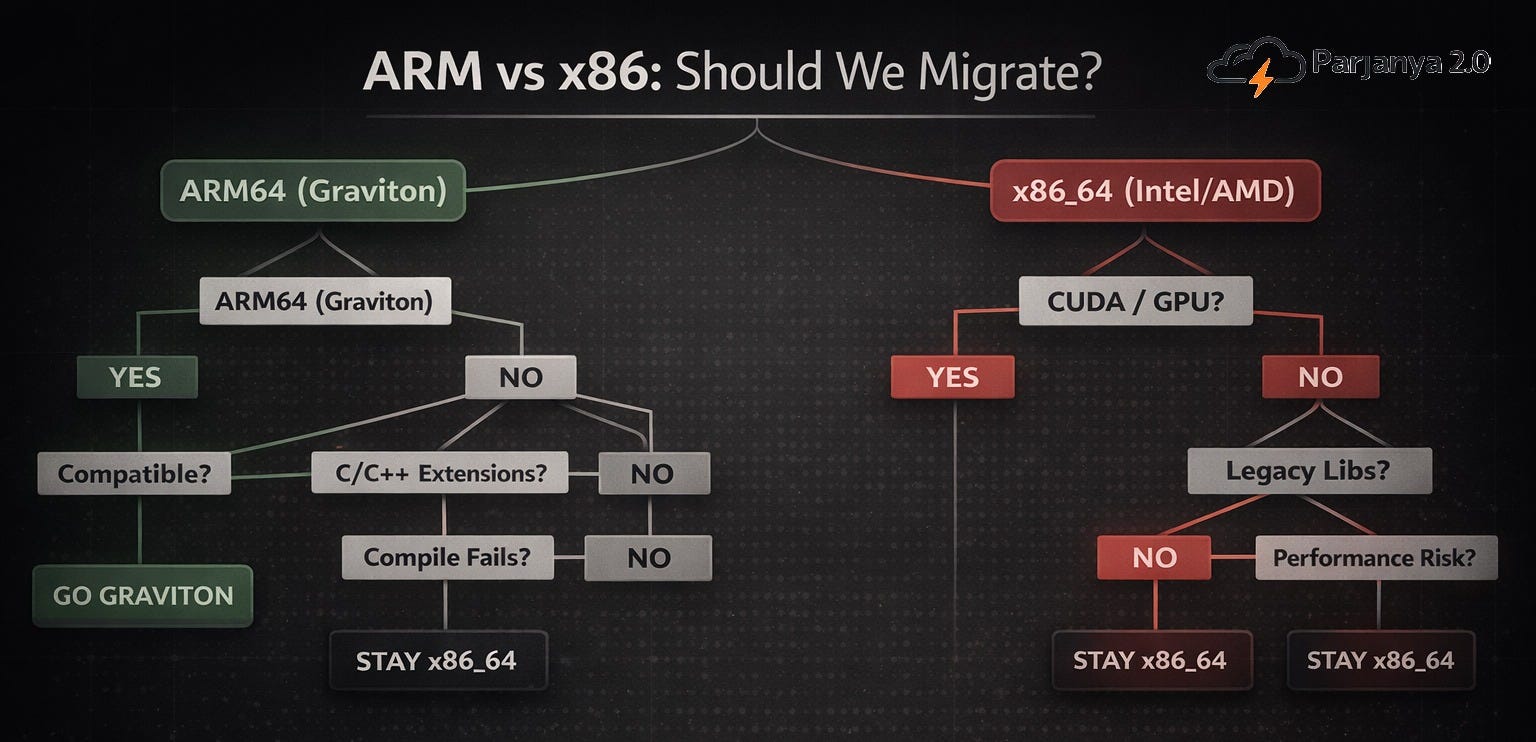
A simple rule of thumb: Graviton works beautifully when your dependencies are simple. It struggles when your stack isn’t.
The Promise That Looked Obvious
Every few years, infrastructure gives you one of those deceptively simple promises:
Flip a switch. Save money. Get better performance.
AWS Graviton felt like one of those moments.
ARM64 support for Lambda came with a clear narrative: better price-performance, lower cost, and a migration path that looked almost mechanical. Change the architecture flag, rebuild your containers, and you’re done.
We believed that story.
And then we tried to run a real system on it.
The System That Refused to Cooperate
We built Parjanya 2.0, an ML-powered image pipeline for photographers. It processes RAW images, generates previews, evaluates image quality using CLIP, removes duplicates, and runs semantic analysis through a vision-language model.
It is not an exotic system. It is exactly the kind of modern, modular ML pipeline you would expect to benefit from better compute economics.
We had four compute stages. Each was isolated. Each was containerized. Each looked like a good candidate for migration.
So we made the call early: everything would run on ARM64.
That decision lasted about a week.
What Actually Happened
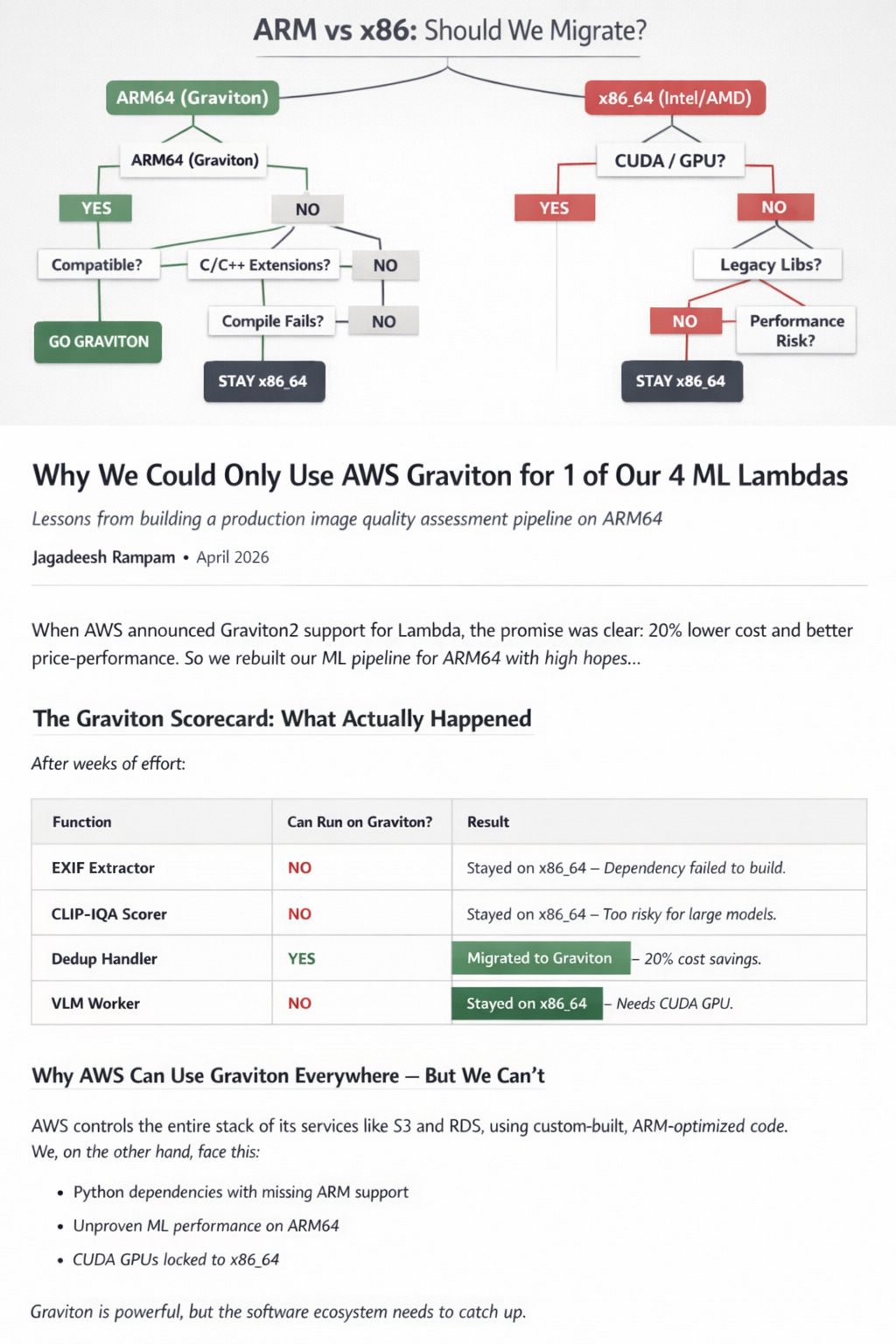
After debugging builds, testing containers, and validating runtime behaviour, the outcome was surprisingly simple:
Only one of our four Lambda functions could run on Graviton.
Not because Graviton failed.
But because our assumptions did.
The deduplication function — small, CPU-bound, dependency-light — migrated cleanly. It behaved exactly as promised and delivered the expected cost savings.
Everything else stopped us, each in a different way.
The RAW processing stage collapsed under native dependency issues. The ML scoring stage raised too many unanswered questions about performance and stability. The GPU-backed stage never had a path in the first place.
The pattern wasn’t random. It was consistent.
The Moment the Model Broke
At some point during the migration, the question shifted.
We stopped asking:
“Why isn’t Graviton working?”
And started asking:
“Why does this work for AWS, but not for us?”
That question turned out to be the real story.
AWS Isn’t Using Graviton the Way You Are
When AWS says services like S3 or RDS run on Graviton, it’s easy to assume you’re playing the same game.
You’re not!
AWS builds those systems with full control over:
the language runtime
the dependency graph
the compiled binaries
the performance tuning
the execution model
They are not dealing with fragile Python bindings, missing wheels, or uncertain ML performance characteristics. They are not discovering at deploy time that a C-extension doesn’t compile on ARM64.
They removed the entire class of problems before Graviton ever entered the picture.
We, on the other hand, inherit those problems by default.
That is the difference.
The Real Constraint Isn’t Hardware
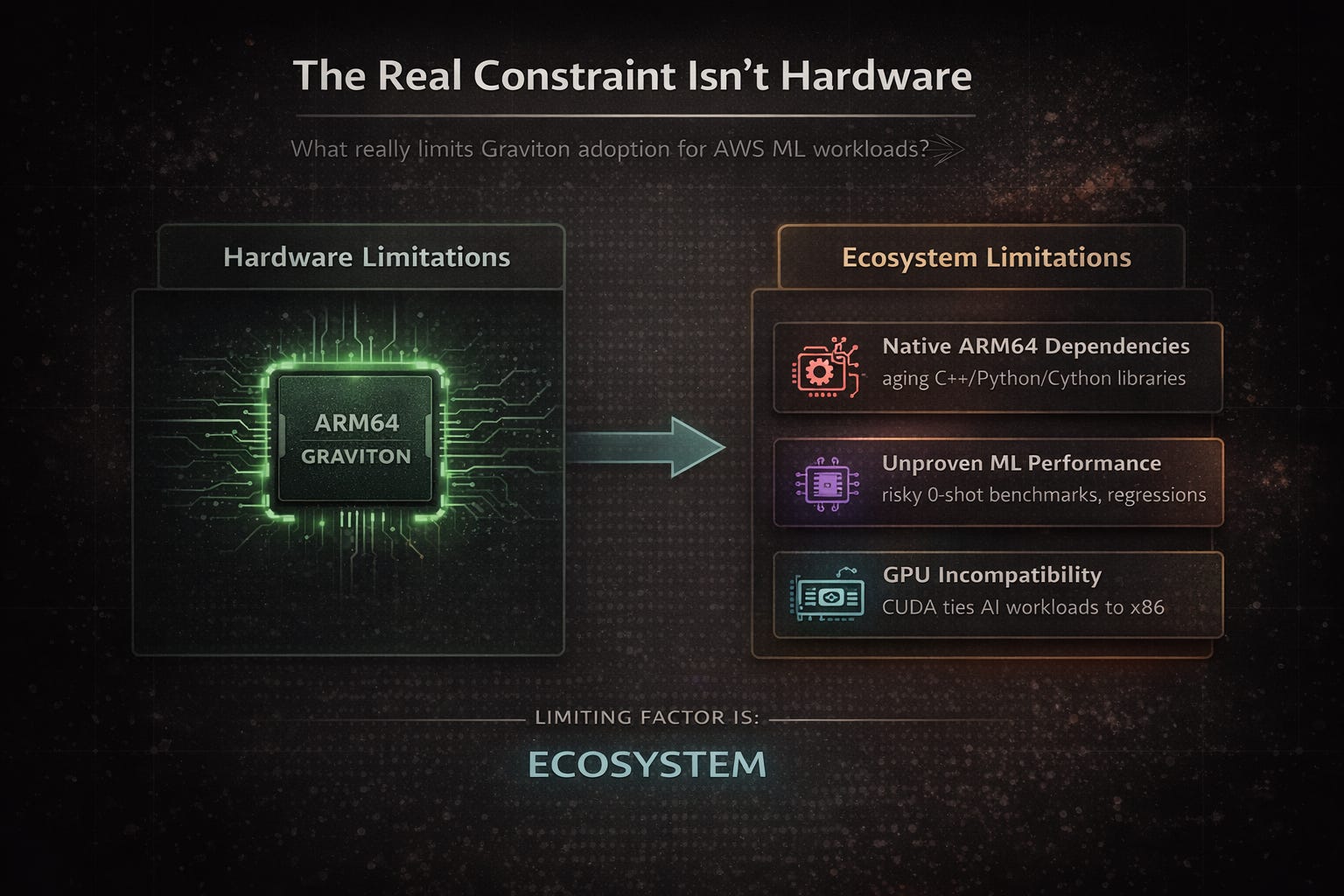
Graviton works.
The cost advantages are real. The performance gains are real.
But those benefits only show up when your software stack allows them to.
In our case, the limiting factor was not compute. It was the ecosystem:
Native dependencies that don’t support ARM64 cleanly
ML workloads without production-grade ARM benchmarks
GPU requirements that lock entire stages to x86
None of these are edge cases. They are normal parts of a modern ML pipeline.
Which leads to an uncomfortable but important conclusion:
Graviton adoption is not a hardware decision. It is an ecosystem decision.
The Economics That Didn’t Scale
We did get Graviton working — just not where it mattered most.
The deduplication stage migrated cleanly and delivered cost savings. But it was also one of the least expensive parts of the pipeline.
The expensive parts — RAW processing, ML inference, GPU workloads — stayed exactly where they were.
So while Graviton worked technically, the overall impact was small.
Not because the savings were fake, but because the wrong parts of the system were portable.
What We Learned the Hard Way
Looking back, the mistake wasn’t trying Graviton. That was the right call.
The mistake was assuming that infrastructure capability translates directly into application readiness.
It doesn’t.
A system is only as portable as its most fragile dependency. And in ML pipelines, those dependencies tend to run deep — often below the level where you first notice them.
We also learned that architectural decisions should start from reality, not optimism. It is far easier to selectively adopt ARM64 where it works than to force it everywhere and backtrack.
And most importantly, we learned that partial adoption is not failure. It is often the correct outcome.
A Better Mental Model
If there is one thing I would carry forward from this experience, it is this:
Do not ask:
“Can I move my system to Graviton?”
Ask instead:
“Which parts of my system are already compatible with Graviton?”
That subtle shift changes everything.
Because once you frame the problem that way, the answer becomes obvious much earlier — and with far less wasted effort.
The Ending That Actually Makes Sense
We migrated one out of four functions.
That number sounds underwhelming until you understand what it represents.
It represents the boundary between what our system wanted to be and what it actually was. It represents the difference between infrastructure capability and ecosystem readiness. It represents an architecture that now reflects reality instead of assumptions.
And in the long run, that is a much more valuable outcome than forcing a full migration that never quite fits.
Graviton is not the wrong tool.
But like most powerful tools, it only works when the rest of the system is ready for it.
📚 Further Reading & References
AWS Foundations (What AWS Tells You)
Start here to understand the official narrative and supported capabilities:
AWS Graviton Overview
https://aws.amazon.com/ec2/graviton/AWS Lambda – ARM64 Architecture Support
https://docs.aws.amazon.com/lambda/latest/dg/foundation-arch.htmlAmazon EC2 Graviton Instances (C6g, C7g, etc.)
https://docs.aws.amazon.com/ec2/latest/instancetypes/ec2-instance-type-specifications.htmlAWS Fargate ARM64 Support
https://docs.aws.amazon.com/AmazonECS/latest/developerguide/ecs-arm64.html
These give you the “happy path” — where workloads are expected to benefit from ARM.
AWS Engineering Blogs (What AWS Actually Does)
These are far more practical than product pages:
Best Practices for Running Applications on AWS Graviton
https://aws.amazon.com/blogs/compute/best-practices-for-running-applications-on-aws-graviton-processors/Migrating to AWS Graviton2: Performance and Cost
https://aws.amazon.com/blogs/compute/migrating-to-graviton2/Optimizing Workloads for ARM-Based EC2 Instances
https://aws.amazon.com/blogs/architecture/optimizing-applications-for-arm64/
If you read closely, you’ll notice something important:
Most examples assume tight control over dependencies and runtime.
ML Ecosystem Reality (What You Actually Face)
This is where things diverge from AWS expectations:
PyTorch ARM64 Support
https://pytorch.org/get-started/locally/ONNX Runtime (ARM builds)
https://onnxruntime.ai/docs/build/eps.htmlHugging Face Transformers
https://huggingface.co/docs/transformers/index
These tools work on ARM — but production characteristics (latency, memory, stability) are often undocumented.
The Hard Boundary: GPU
NVIDIA CUDA Platform
https://developer.nvidia.com/cuda-zone
If your pipeline depends on CUDA, that stage remains tied to x86_64 in most production setups.
A Practical Way to Evaluate Graviton
Before committing to migration:
Spin up a Graviton EC2 instance (e.g., c7g.medium)
Install your full dependency stack
Run your real workload (not a toy benchmark)
Measure cold start, latency, and throughput
This single step is more valuable than hours of reading.
Closing Thought
AWS documentation shows you what Graviton can do.
Your system will show you what it actually allows.
The difference between those two is where architecture decisions are made.