
TL;DR:
Enabling S3 versioning without lifecycle rules is like turning on a faucet without a drain.
We discovered this the hard way.
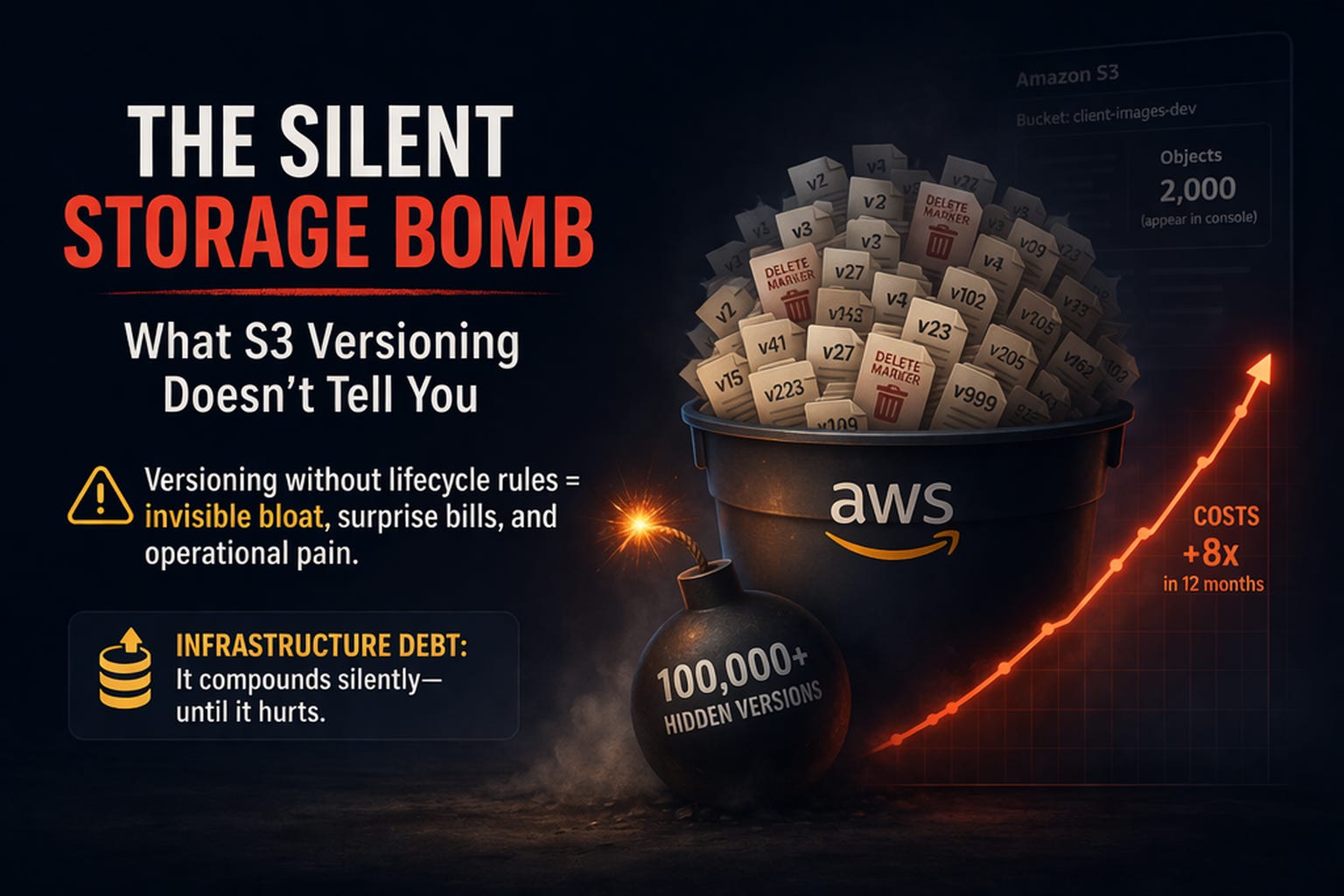
A bucket that showed ~2,000 objects actually contained 100,000+ hidden versions. What should’ve been a quick cleanup turned into a multi-hour purge.
This isn’t just a technical oversight.
It’s a new class of failure:
Infrastructure Debt — silent, compounding, and invisible until it hurts.
The Setup
We’re building Parjanya — a multi-tenant image QA platform for professional photographers.
Each tenant gets:
Their own S3 bucket
Versioning enabled (because losing originals is unacceptable)
Multiple derived assets:
Raw uploads
Previews (200px, 800px, 2048px)
ML metadata (EXIF, embeddings, manifests)
Everything looked standard:
Versioning ✅
Encryption ✅
Public access blocked ✅
Ship it.
The Wake-Up Call
Months later, we tried to clean up dev buckets for a V2 rollout.
Simple script:
list-object-versionsBatch delete (500 at a time)
Expected: a few minutes
Reality: hours
Why?
Because the AWS console was lying (or rather, hiding the truth).
Console showed: ~2,000 objects
Actual: 100,000+ versions
What we found underneath:
Non-current versions (every overwrite)
Delete markers (every delete)
Multipart leftovers
All of them:
Billed
Counted
Required explicit deletion
The Hidden Mechanics
Every S3 operation creates more than you think:
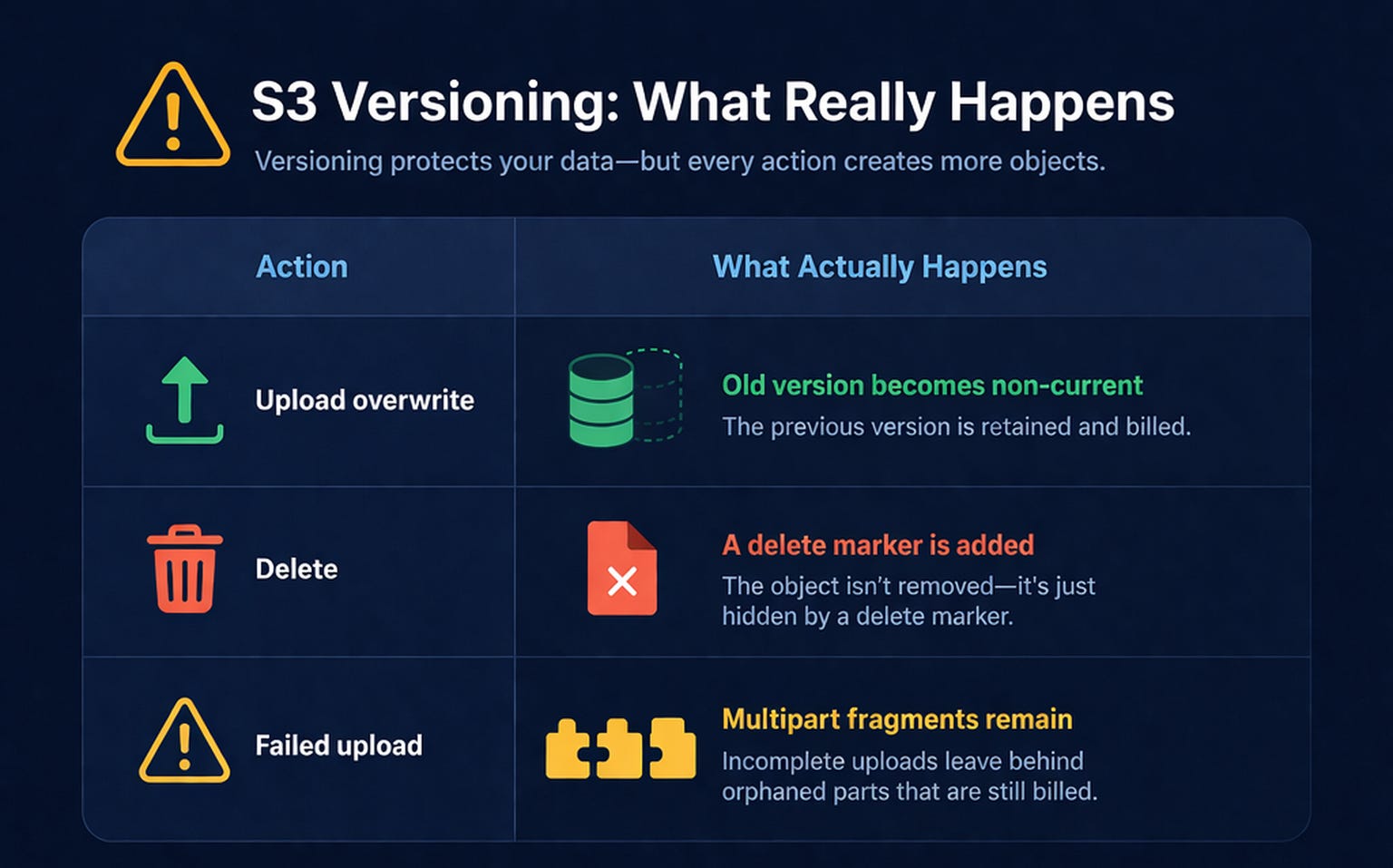
None of this is visible in the default console view.
But all of it:
Costs money
Slows operations
Complicates cleanup
The Cost (This Is Where It Gets Real)
Let’s quantify it.
Scenario:
100,000 versions
Avg size: 5 MB
→ ~500 GB of hidden storage
→ ~$12.50/month
→ ~$150/year
For dead data
Now scale it:
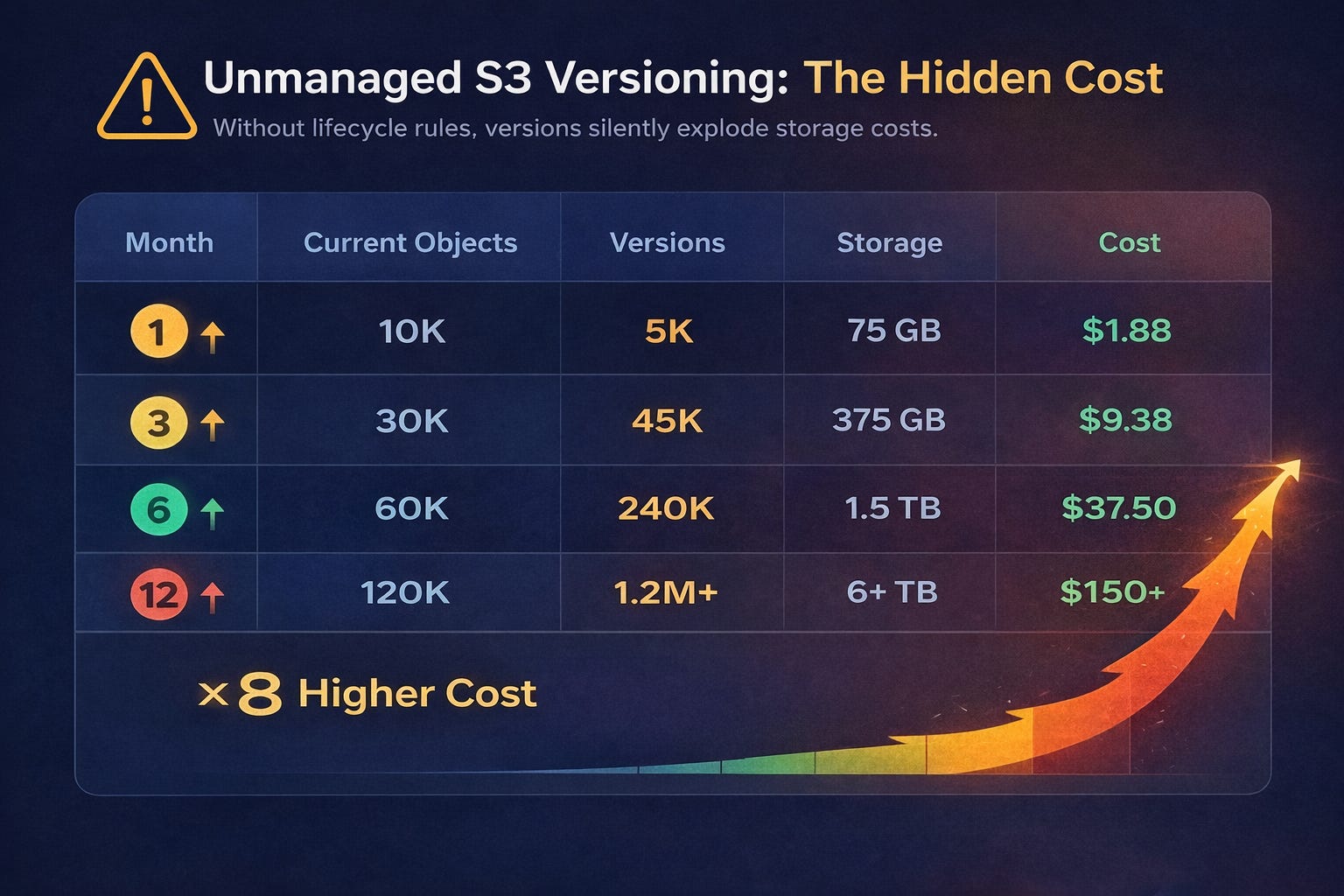
👉 You’re paying 8× more than you think
And that’s per tenant.
This Isn’t Just a Bug — It’s Debt
We categorize this into four types:
1. Tech Debt
“We’ll add lifecycle rules later.”
Later never comes.
Versioning enabled
Cleanup missing
Cost grows silently
2. Infrastructure Debt (The Real Killer)
This is where it escalates:
No lifecycle rules → storage bloat
No inventory → no visibility
No alarms → no signal
Terraform defaults → debt replication
Infrastructure debt doesn’t fail loudly.
It accumulates quietly.
3. Context Debt
When the original engineer leaves:
Why is versioning enabled? ❓
What’s the retention policy? ❓
How do we purge safely? ❓
Nobody knows.
4. AI Debt (Underrated)
ML pipelines make this worse:
EXIF outputs
Embeddings
Batch manifests
These are:
Frequently overwritten
Rarely reused
Fully versioned
You end up paying long-term storage for temporary compute artifacts
The Pattern (Across the Industry)
This isn’t rare.
It’s everywhere:
Buckets growing 5× silently
Bills spiking unexpectedly
Cleanup scripts failing at scale
The pattern is always:
Enable versioning → forget lifecycle → discover too late
The Fix: Lifecycle Rules (Non-Negotiable)
We now treat lifecycle rules as mandatory.
1. Originals → Intelligent-Tiering
Auto-optimize cost
Keep 2 backup versions
Expire others in 7 days
2. Previews → Aggressive Cleanup
Regenerable
Keep 1 version
Expire in 1 day
3. Metadata → Disposable
Expire current in 30 days
Versions in 1 day
4. Multipart Cleanup (Critical)
Abort incomplete uploads after 1 day
5. Global Safety Net
Max 3 versions
Expire after 30 days
Clean delete markers
Monitoring: Don’t Trust the Console
We added 3 layers:
1. S3 Inventory
Source of truth
Includes versions
2. Prefix Metrics
Track
raw/,previews/, etc. separately
3. Alerts
Bucket size
Object count
Error rates
The Checklist
Before you ship versioning:
Lifecycle rules exist (no exceptions)
Non-current expiration configured
Delete markers cleaned
Multipart uploads aborted
Inventory enabled
Prefix-based policies applied
Intelligent-Tiering evaluated
Purge tested
Alerts configured
Documentation written
When Things Go Wrong (The Nuke Strategy)
You cannot just run:
aws s3 rm --recursive
It only deletes current objects.
You must:
Suspend versioning
Delete all versions + delete markers
Delete current objects
Delete bucket
And yes — it’s painful at scale.
The Takeaway
S3 versioning is:
A safety feature
A cost trap
An operational hazard
Without lifecycle rules, it will hurt you.
So treat this as a rule:
Versioning without lifecycle = production bug
And more importantly:
This is Infrastructure Debt — not a configuration detail.
Final Thought
The most dangerous systems aren’t the ones that fail loudly.
They’re the ones that:
Look fine
Cost little (at first)
And quietly compound
Until one day:
Your bill spikes
Your scripts hang
Your team scrambles
All because of a checkbox you enabled months ago.
Sources & Further Reading
If you want to go deeper, these are worth your time — they highlight how widespread (and costly) this issue is:
SnapShooter — The Tale of the Versioned S3 Bucket
→ Real-world recovery: 5.5 TB → 16 GB after fixing lifecycle rulesDEV.to — Taming S3 Versioning Before It Blows Up Your Bill
→ Practical breakdown of version bloat patternsDoiT — Why Did My S3 Costs Go Up?
→ Versioning listed as a top cause of unexpected cost spikesMedium — Why Your S3 Bill Just Hit $47,000
→ Extreme case of mismanaged storage + versioningInfracost — S3 Non-Current Version FinOps Policy
→ Automated detection for missing lifecycle rulesGart Solutions — Infrastructure Debt: Complete Guide
→ Conceptual grounding for “infrastructure debt”AWS Docs — Troubleshooting S3 Versioning
→ Official guidance (including 503 risks at high version counts)AWS re:Post — S3 Versioning Impact
→ Real developer discussions and pitfallsEon — How to Cut Your S3 Costs
→ Broader cost optimization strategiesAWS — S3 Pricing
→ Baseline for cost calculations
This post is part of our learnings building Parjanya 2.0 — a multi-tenant SaaS Image QA platform for professional photographers. We use a two-tier IQA approach: CLIP-IQA for real-time scoring and Qwen3.5-4B VLM for overnight batch enrichment, all running on AWS with Terraform-managed infrastructure.
